Metatag Debugger
Instantly inspect Open Graph, Twitter Card, and all HTML <meta> tags for any webpage—right from the Chrome side panel. No DevTools required.
See it in action

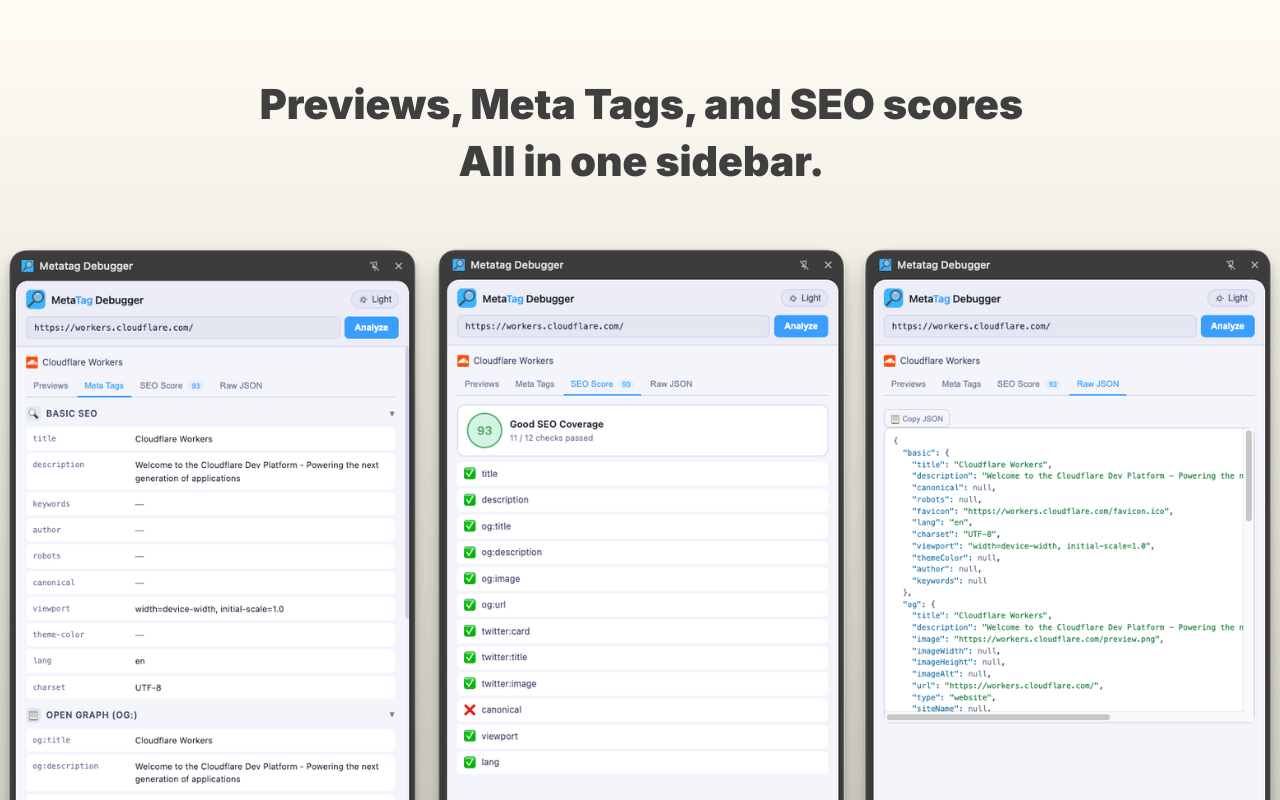
Everything you need to debug metadata
Nine features packed into a lightweight Chrome side panel.
Auto-detects Active Tab
No copy-pasting needed. The extension automatically picks up the active tab's URL and fetches its metadata instantly.
Open Graph Tags
Inspect og:title, og:description, og:image, og:url, and every other OG property in one clean view.
Twitter Card Tags
See twitter:card, twitter:title, twitter:image, and all Twitter Card meta tags at a glance.
SEO Meta Tags
Displays the page title, meta description, canonical URL, and robots directives—everything that matters for search.
Auto-refresh on Navigation
Switch tabs or navigate to a new page and the panel updates automatically—no manual refresh needed.
Manual URL Input
Analyse any URL without navigating to it. Type or paste a URL directly into the panel for instant inspection.
5-Minute Smart Cache
Results are cached locally for 5 minutes so re-opening the panel is instant without redundant API calls.
Server-Side Fetching
Metadata is fetched via a Cloudflare Worker, so you see the real server-rendered tags—not client-patched ones.
Dark & Light Mode
Theme preference is persisted locally so the panel always matches your workflow.
Who is it for?
Built for everyone who cares about how their pages appear on the web.
Web Developers
Verify metadata is correct before shipping to production.
SEO Specialists
Audit pages for search and social optimisation with precision.
Content & Marketing
Ensure link previews on social platforms look exactly as intended.
QA Engineers
Test Open Graph and Twitter Card implementations systematically.
How it works
- 1
Click the toolbar icon
Open the Metatag Debugger from the Chrome toolbar to launch the side panel.
- 2
Navigate to any page
Your metadata is fetched and displayed immediately, organised by category—no interaction required.
- 3
Switch tabs freely
The panel updates automatically whenever you navigate to a new page or switch tabs.
- 4
Or enter any URL manually
Use the manual input field to inspect any URL without navigating to it.
Your privacy is not an afterthought
No analytics. No tracking. No account. The extension only ever sees the URL of the tab you're actively viewing—nothing else. Results are cached locally in your browser and never leave your device.
Read the full Privacy Policy